Description
 Tekno Electro Solutions – Laptop-Size Digital Safe Manual
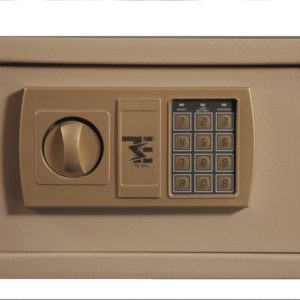
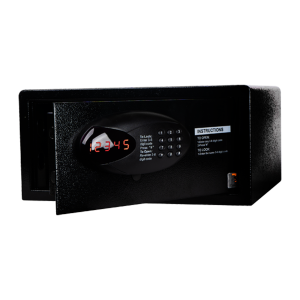
Tekno Electro Solutions’ Laptop-Size Digital Safe, engineered to provide advanced digital protection for your electronic devices, confidential files, and valuable belongings.
Overview of the Product
It offers strong protection combined with a sleek design, making it appropriate for workplaces, dorm rooms, or even hotel rooms where space efficiency and security are paramount.
- Spacious Interior: Fits most standard-sized laptops and important files.
- Heavy-Duty Steel Construction: A reinforced door with hidden hinges provides tamper resistance.
- LED Indicators: Light-emitting diodes display input acknowledgement, errors, and battery warnings.
- Low Battery Warning: Provides timely replacement of the power source.
–Operating Instructions
Power source:
- Insert 4 × AA batteries into the battery compartment located inside the safe door.
Setting the Code:
- Open the safe with the preset factory code or override key.
- Press the internal “RESET” button.
- Enter your new 3–8 digit code and then press “#” to confirm.
Opening the Safe:
- When the green indicator lights, turn the knob to open.
Locking the Safe:
- Close the door, then turn the knob until it has locked properly.
Emergency Access
- In case batteries are drained or the code has been forgotten:
- Use the override key that is hidden behind the front panel.
- Open the safe manually, replace the batteries, or reset your PIN.
- Store override keys in a safe, and separate place.
- Replace batteries annually or when indicated.
- Do not store keys or passwords inside the safe.
Warranty
Tekno Electro Solutions warrants the product against defects in material and manufacturing for a period of 12 months from the date of purchase, provided it has been used under normal conditions.
For customer support or product assistance, contact support@teknoelectrosolutions.com

Reviews
There are no reviews yet.